Launch Campaign Pages Without
The Production Bottleneck.
Create campaign-ready landing pages from your existing brand templates, with
content, visuals and SEO controls built into one workflow.
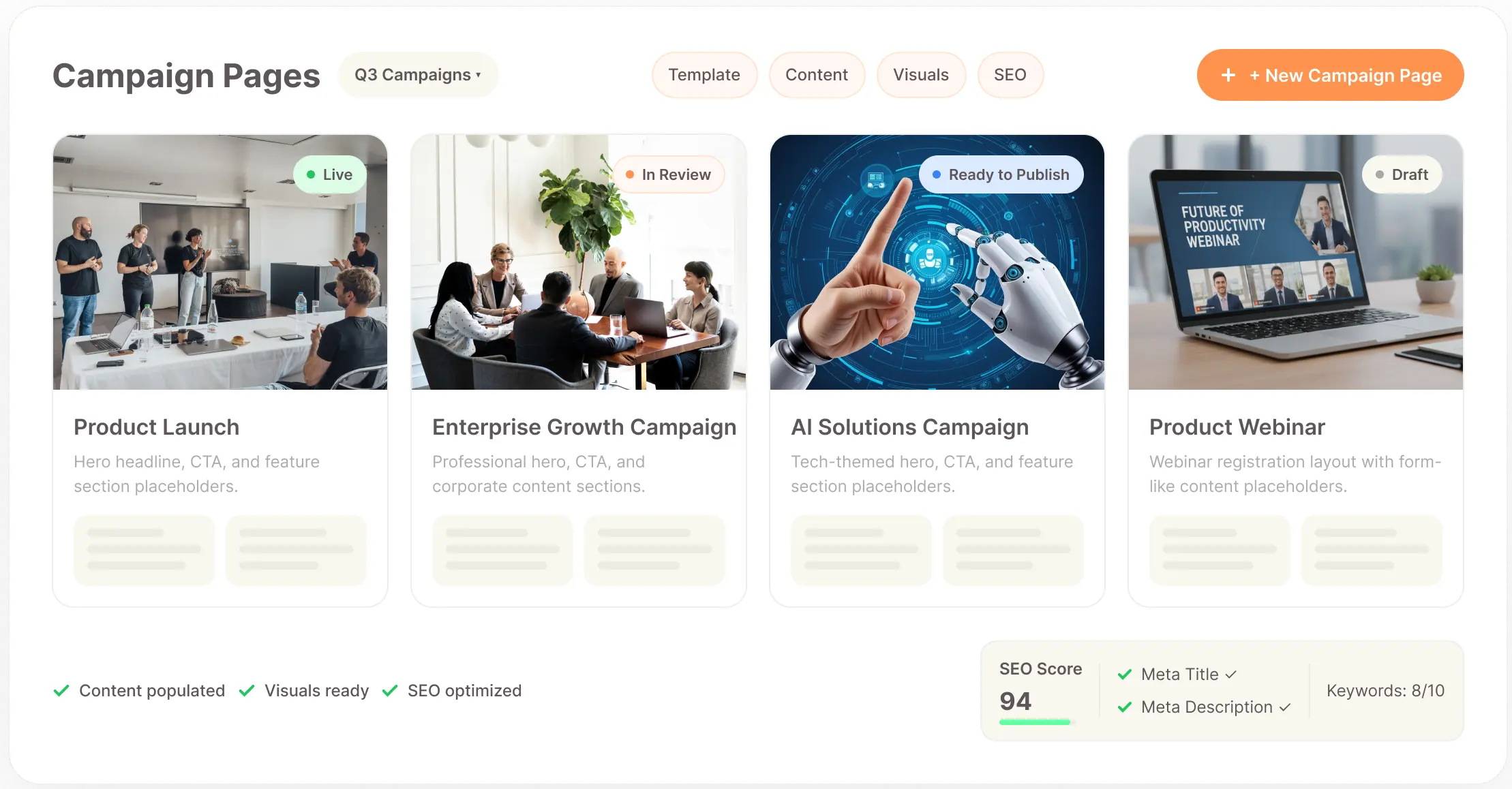
A Campaign Can Move Fast.
Your Landing Page Often Can't.
Campaigns are built around timing. A new offer, product launch, promotion or acquisition campaign may need a dedicated page within days, but getting that page live often means coordinating strategy, copy, design, development and SEO across different people and tools. By the time everything comes together, the campaign window may already be moving.
Every Campaign Needs A New Page
A campaign usually needs messaging that is specific to its audience, offer and objective. Creating that page from scratch every time means repeating the same design and development work even when the underlying page structure could have been reused.
Design And Content Get Developed Separately
When copy is created independently from the page design, the final layout can require multiple rounds of adjustment. Headlines may be too long, sections may need restructuring and the visual hierarchy can change as the content evolves.
Development Becomes The Bottleneck
Marketing teams can have a campaign ready to launch while the landing page is still waiting for development resources. Even small changes to an existing page can become another request in an already crowded production queue.
Campaigns Need More Than One Version
Different audiences, offers, locations and acquisition channels can require different landing pages. Building each variation manually makes scaling campaign activity difficult, particularly when the design itself does not need to change.
SEO And Metadata Are Often An Afterthought
Campaign pages still need the right page title, description, canonical URL and social sharing information. When these details are handled separately, they can be missed or added only after the page is already being prepared for launch.
The Real Problem
The challenge isn't simply designing a landing page. It is creating a page that is on-brand, campaign-specific, conversion-focused and ready to publish while the campaign is still relevant.
A Campaign Page Has One Job:
Move The Audience Toward Action.
A campaign landing page should connect the message that brought someone to the page with the action you want them to take next. That means the page needs a clear offer, focused messaging, relevant creative and a structure that supports the campaign objective without introducing unnecessary distractions.
A Clear Campaign Message
Visitors should immediately understand what the campaign is offering, who it is for and why the offer is relevant to them. The message needs to carry through the headline, supporting copy, sections and call to action rather than changing from one part of the page to another.
A Relevant Audience
Campaign pages work better when they are built around a defined audience rather than trying to speak to everyone. The language, examples, benefits and CTA can then reflect what matters to the people the campaign is actually targeting.
A Focused Conversion Path
The page should make the intended next step obvious, whether that is submitting a form, booking a demo, requesting information, purchasing a product or starting a conversation. Every major section should support that journey rather than competing with it.
Consistent Brand Expression
Campaigns can have their own visual direction without looking disconnected from the brand. Using an approved template, brand colours, typography and visual language gives campaign pages a familiar foundation while leaving room for campaign-specific content.
Strong Supporting Visuals
The creative should reinforce the campaign message rather than simply fill space on the page. Product imagery, generated visuals, campaign graphics and supporting images should work with the copy and hierarchy of the page.
Fast Iteration And A Publishable Output
Campaign requirements can change after launch. Teams need to be able to update headlines, offers, imagery, links and page sections without rebuilding the page. Once approved, the page needs to move into the existing website or hosting environment without creating another dependency.
A Publishable Output
Once the page has been approved, it needs to move into the existing website or hosting environment without creating another dependency. Clean HTML gives marketing and development teams a practical output they can work with.
Ready To Build A Campaign That Converts?
Bring your message, audience, visuals and conversion path together in one campaign-ready page.
Start Building
Turn A Campaign Brief Into A Page You
Can Actually Launch.
Brandstory AI's Landing Page Builder gives campaign teams a direct path from an existing HTML template to a complete landing page. Instead of creating every campaign page as a new design and development project, you can reuse an approved structure, provide the campaign brief and build the content, creative and SEO settings around it.
Start With Your Existing Design
Upload an HTML template or choose one from your saved template gallery. The template becomes the visual foundation for the campaign page, allowing your team to work from an approved design instead of rebuilding the layout.
Add The Campaign Context
Provide the campaign topic, company name, primary keyword and page type, then add a short brief describing what the page needs to communicate. You can also upload an existing Word, PDF, PowerPoint or text brief when the campaign information already exists in another document.
Generate Campaign Content
Use the campaign information to create the page copy within the selected structure. The content can then be reviewed and edited directly in the builder rather than being treated as a fixed output.
Create The Supporting Visuals
Generate campaign images when you need new creative or use assets already available in your Media Library. Individual images can be replaced or regenerated without rebuilding the rest of the page.
Control The Final Page
Adjust the content, styling, colours, links and page elements directly in the builder. When a more specific change is needed, you can access and edit the underlying HTML rather than being restricted to visual controls.
Prepare For Launch
Set the page-level SEO and social sharing information, preview the completed page and export the HTML when it is ready to move into your existing publishing environment.
Landing Page Builder
Build Campaign Pages Around The Design You Already Use.
Landing Page Builder is the single product powering the Campaign Landing Pages solution. It combines reusable HTML templates, campaign content generation, visual creation, editing and SEO controls so a marketing team can take a campaign from brief to publishable page without separating every production step.
Reusable HTML Templates
Start with an existing landing page design instead of creating a new layout for every campaign. Upload HTML or paste your own template, save it to the template gallery and reuse the approved structure.
Campaign Brief Input
Add the information that defines the campaign, including the topic, company, keyword and page type. Upload an existing document when the campaign requirements have already been prepared.
AI Content Generation
Generate page copy within the selected template instead of creating the content separately. Review the output and make changes directly within the editor before the page moves toward launch.
Brand Styling Controls
Define the Google Font and primary and secondary brand colours used for the page. These settings influence buttons, links, accents and other visual elements while keeping the page on-brand.
Image Generation
Create supporting campaign visuals directly during the page-building process. Generate images, replace existing visuals, regenerate individual selections or use media already available to your team.
Visual Page Editing
Edit the generated page directly in the builder. Change text, images, colours, spacing and other page elements while seeing how the changes affect the final layout.
HTML Editing
When the visual editor isn't enough, access the underlying HTML and make more specific structural changes. The result remains based on your original template.
SEO Controls & Export
Set the meta title, description, canonical URL, Open Graph information and robots directive. Add internal links and CTA destinations, then download the finished page as HTML for deployment.
One Workflow From Campaign Idea To
Publishable HTML.
Select Your Template
Choose an existing campaign template from your gallery or upload the HTML structure your website already uses. Preview the template before starting the page so you know the campaign is being built on the right foundation.
Add The Campaign Brief
Enter the campaign topic, company, keyword and page type, then describe the offer, audience, message and requirements. If the campaign already has a detailed brief, upload the existing document instead of recreating the information manually.
Set The Brand Direction
Choose the font, primary colour, secondary colour and other relevant settings before the page is generated. Establishing these elements early keeps the campaign page visually aligned with the brand.
Generate The Page
Create the campaign copy and supporting page elements within the selected template. The content is developed around the campaign rather than being created as a generic page that needs to be redesigned afterward.
Build The Creative
Generate campaign visuals or select existing media from your library. Replace individual images when needed and adjust the visual direction without having to regenerate the complete page.
Refine The Page
Edit headlines, copy, images, styles, links and other page elements directly in the builder. Use the HTML editor when a more specific structural change is required.
Prepare For Discovery
Review the page's meta title, description, canonical URL, Open Graph information and other SEO settings before the page is exported.
Preview & Export
Review the completed campaign page in its final layout, make any remaining adjustments and download the HTML when it is ready for deployment.
One Page Builder For Different
Campaign Moments.
Product Launches
Create a dedicated page for a new product or feature with campaign-specific messaging, visuals and calls to action. Use the existing website structure as the foundation while giving the launch its own focused page experience.
Limited-Time Offers
Build pages around promotions, discounts, seasonal offers or limited-time opportunities where the message needs to be clear and the publishing window is important. Update the offer, imagery or CTA as campaign requirements change.
Lead Generation Campaigns
Create focused pages for campaigns designed to capture enquiries, demo requests or other lead actions. Keep the page centred around the audience, value proposition and single next step that the campaign is designed to drive.
Paid Advertising
Create landing pages around specific ad campaigns, audiences or keyword groups so the page experience reflects the message that brought the visitor there. Reusable templates make it easier to create multiple variations.
Event Campaigns
Build dedicated pages for webinars, conferences, workshops, launches and other events. Bring the event message, details, supporting imagery and registration CTA together in a page designed specifically for the campaign.
Seasonal Campaigns
Create pages for seasonal promotions, festive campaigns or recurring annual moments without starting the design process from zero. Reuse the structure while updating the campaign-specific message and creative.
Location-Based Campaigns
Create targeted landing pages for different cities, regions or markets when a campaign needs localised messaging. The same approved design can support multiple versions while the content changes according to the location.
Service Campaigns
Create pages around a specific service, solution or offering when a campaign needs a more focused destination than the main website provides. The page can be structured around the campaign audience and the action you want them to take.
Variation Campaigns
Create multiple versions of a page around different audiences, offers, messages or acquisition sources. Reusing the same underlying template makes variation production more practical without requiring a separate design process for every version.
Turn Your Campaign Into Action.
Create focused landing pages that connect the right message to the right audience and drive the next step.
Build Your Page
Turn Campaign Ideas Into Pages That Are
Ready To Launch.
Create campaign-specific landing pages from the designs your brand already uses.
Bring the brief, content, visuals, styling and SEO settings together in one workflow,
then export the finished HTML when your page is ready to move into production.
Everything You Need To Know
Do I need to create a new design for every campaign?
No. You can use an existing HTML template or select a saved template from your gallery and reuse it for future campaign pages. This allows the campaign content to change without requiring the underlying design to be rebuilt each time.
Can I use my existing website design?
Yes. You can upload an HTML file or paste your own HTML template into the builder. This makes it possible to start with the structure your website or team already uses instead of moving the campaign into an unrelated design system.
What information do I need to create a campaign page?
You can provide the campaign topic, company name, primary keyword and page type, along with a short or detailed brief describing what the page needs to communicate. Existing Word, PDF, PowerPoint and text briefs can also be uploaded.
Can I create pages for different campaigns from the same template?
Yes. Once a template is saved, it can be reused as the foundation for different campaigns. You can change the copy, imagery, messaging, CTA and other page elements while maintaining the same core design structure.
Can I create multiple campaign variations?
Yes. You can reuse the same template to create variations around different audiences, offers, locations, keywords or campaign messages. Each version can then be edited independently.
Can I generate the campaign copy?
Yes. The builder can generate page content based on the information provided during setup. You can then edit the content directly within the page rather than treating the generated copy as final.
Can I use my own campaign brief?
Yes. You can upload an existing Word, PDF, PowerPoint or text document as part of the page setup. This allows you to use campaign information that has already been prepared instead of entering everything manually.
Can I generate campaign images?
Yes. You can generate images as part of the page-building workflow, replace existing images or use assets from your Media Library. Individual visuals can also be regenerated when the creative direction needs to change.
Can I edit the page after it is generated?
Yes. You can edit the content, images, styles, links and other page elements directly in the builder. You can also access the HTML when you need more specific control over the page structure.
Can I keep the campaign page on-brand?
Yes. You can define the Google Font and primary and secondary brand colours during setup, while your HTML template provides the underlying page structure. This lets campaign-specific content and creative work within an established visual system.
Does it support SEO settings?
Yes. You can configure the meta title, meta description, canonical URL, Open Graph title, description and image, robots directive and author information before exporting the page.
Can I publish the page directly from the builder?
The workflow is designed to prepare and export the completed page as HTML. You can then take that HTML into your existing hosting or development environment for deployment.