Turn More Visitors Into Qualified Leads.
Create focused landing pages that give potential customers a clear reason to
take the next step, from first click to enquiry.
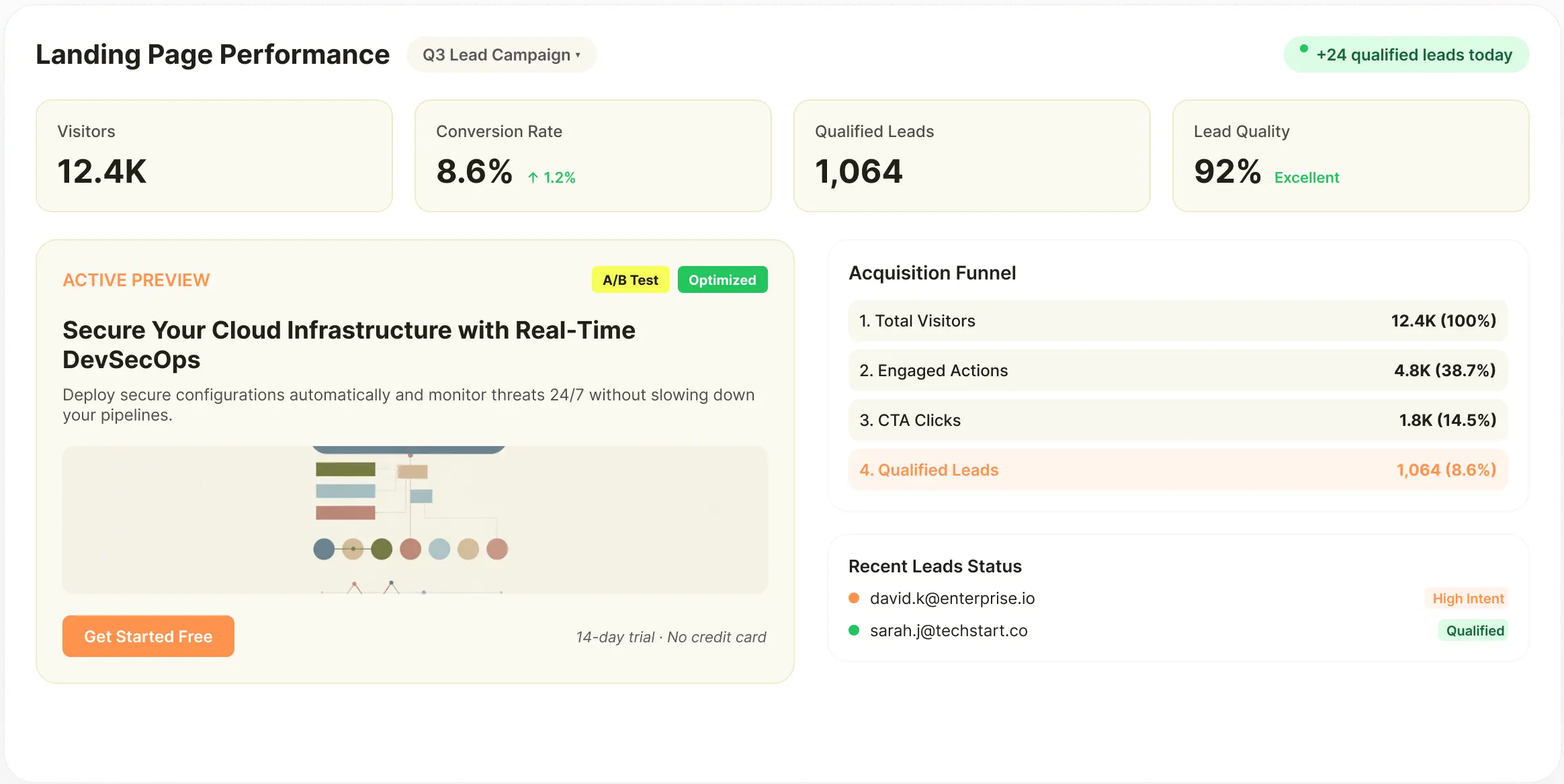
Getting Traffic Is Only Half The Job.
A visitor reaching your website does not automatically become a lead. They need to understand what you offer, see why it matters to them and know exactly what to do next. When landing pages, messaging, forms and follow-up paths are not built around the same objective, valuable visitors can leave without taking action.
Your Pages Speak To Everyone
A broad message may bring information to the page, but it rarely gives a specific audience a strong reason to enquire. Without clear audience and offer alignment, visitors may struggle to see how the product or service applies to their situation.
The Value Isn't Clear Enough
Visitors need to understand what they get and why it is worth their time before they are willing to submit their details. When benefits are buried beneath generic descriptions, the page has to work harder to earn attention and action.
Too Many Actions Create Friction
A page with several competing CTAs, navigation paths and unrelated links can make the next step unclear. When visitors have to decide what to do rather than being guided toward one relevant action, conversion opportunities can be lost.
Lead Capture Becomes An Afterthought
Forms, enquiry buttons and contact paths are sometimes added after the page has already been designed. This can result in a conversion experience that feels disconnected from the message and offer that brought the visitor there.
Every Audience Needs A Different Message
Different campaigns, services, products and customer segments may require different landing page experiences. Creating every variation manually makes it difficult to respond quickly when your acquisition strategy changes.
The Real Problem
Lead generation is not simply about getting more people onto a page. It is about creating a clear path between what brought the visitor there, what you are offering and the action you want them to take.
A Lead Generation Page Should
Make The Next Step Obvious.
A strong lead generation page connects the audience's need with a relevant offer and a clear action. Every part of the experience, from the headline and supporting content to the form and CTA, should help the visitor understand why they should continue.
A Relevant Offer
The visitor should quickly understand what they are being offered and why it is relevant to their current need. The value should be specific enough to create interest without making the visitor work through unnecessary information.
A Defined Audience
A page designed for a particular audience can speak directly to its concerns, priorities and expectations. This makes the message more relevant and gives visitors a stronger reason to continue exploring the offer.
A Clear Value Proposition
The page needs to communicate the practical value of taking the next step. Whether the goal is a demo, consultation, enquiry, download or sign-up, visitors should understand what they stand to gain.
A Focused Conversion Path
The page should guide visitors toward one primary action instead of making them choose between several unrelated destinations. The CTA, supporting content and form should work together around that intended action.
Useful Supporting Content
Visitors may need additional information before they are ready to enquire. Benefits, use cases, product details, FAQs and supporting evidence can answer important questions without taking attention away from the main conversion path.
A Consistent Brand Experience
Lead generation pages should feel like part of the brand rather than isolated campaign assets. Brand colours, typography, messaging and visual language should remain consistent while the page is adapted to the specific audience and offer.
Easy Follow-Through
Once a visitor decides to act, the next step should be simple to complete. Clear forms, relevant links and direct CTAs reduce unnecessary friction between interest and enquiry.
Ready To Turn More Visitors Into Leads?
Build focused landing pages that connect a specific audience with a clear offer and a single conversion path.
Start BuildingTurn Your Offer Into A Page Built For Action.
Brandstory AI's Landing Page Builder gives marketing teams a way to create focused lead generation pages around a specific audience, offer and conversion goal. Start with an existing HTML template, provide the campaign or service brief and build the content, visuals, styling and page settings around the intended customer action.
Start With Your Existing Design
Upload an HTML template or choose an approved design from your saved template gallery. This gives the lead generation page a familiar visual foundation while allowing the content and offer to change for each campaign.
Define The Lead Generation Context
Provide the topic, company name, primary keyword and page type, then describe the audience, offer and action you want visitors to take. You can also upload an existing Word, PDF, PowerPoint or text brief when the campaign information is already prepared.
Build The Page Content
Create page copy around the offer, audience and conversion objective within the selected structure. Review and edit the content directly in the builder so the message can be refined before the page is launched.
Create Supporting Visuals
Generate campaign-specific imagery or use assets already available in your Media Library. Replace individual visuals when needed so the page's creative supports the offer rather than simply filling a predefined space.
Control The Conversion Experience
Edit headlines, supporting content, CTAs, links, colours, images and other page elements directly in the builder. When a more specific structural change is required, access the underlying HTML instead of rebuilding the page.
Prepare The Page For Launch
Set the relevant metadata, canonical URL and social sharing information, preview the completed page and export the HTML when it is ready to move into your existing website or hosting environment.
Landing Page Builder
Build Lead Generation Pages Around Your Existing Brand.
Landing Page Builder is the single product powering the Lead Generation solution. It brings reusable templates, page content, visual creation, editing, links and SEO controls together so marketing teams can create focused conversion pages without starting the production process from zero.
Reusable HTML Templates
Start with an existing landing page design and reuse it for different lead generation campaigns, services or audiences. Upload HTML or paste your own template, save it to the gallery and create new pages from the same approved structure.
This keeps the visual experience consistent while allowing the offer and messaging to change based on the campaign.
Lead Generation Briefs
Provide the information behind the page, including the topic, company, keyword, page type, audience, offer and desired action. Existing campaign or service briefs can also be uploaded when the requirements have already been documented.
The page can therefore be developed around the actual lead generation objective rather than a generic landing page structure.
Lead Generation Briefs
Provide the information behind the page, including the topic, company, keyword, page type, audience, offer and desired action. Existing campaign or service briefs can also be uploaded when the requirements have already been documented.
The page can therefore be developed around the actual lead generation objective rather than a generic landing page structure.
Content Generation
Create page copy around the selected audience and offer while keeping it inside the chosen design. Headlines, supporting sections and CTA messaging can be reviewed and edited directly before the page is prepared for launch.
This keeps the message connected to the page layout throughout production.
Brand Styling Controls
Define the font and primary and secondary brand colours used throughout the page. This allows lead generation campaigns to have their own messaging and imagery while maintaining the visual language of the wider brand.
Image Generation
Generate visuals that support the specific offer or campaign, or use existing assets from your Media Library. Individual images can be replaced or regenerated without rebuilding the rest of the page.
Visual Page Editing
Edit the page directly within the builder by changing copy, imagery, colours, spacing and other elements. Review changes in the actual page layout so you can refine the conversion experience before export.
HTML Editing
Access the underlying HTML when a more specific change is required. This gives teams greater control over page structure and allows developers to work directly with the code when necessary.
Link, CTA, SEO & Export
Add internal links and define destination URLs for primary CTA buttons. Configure the meta title, description, canonical URL, Open Graph information, robots directive and author details. Download the finished page as HTML and move it into your existing hosting or development workflow.
HTML Export
Download the finished page as HTML and move it into your existing hosting or development workflow. The page remains usable outside the builder and can be deployed according to your existing website setup.
Create A Clear Path From First Click To Conversion.
Define The Audience
Identify who the campaign is targeting and what they need from the page. Use that context to shape the offer, messaging and supporting information.
Define The Offer
Clarify what you are giving the visitor and why it is worth taking the next step. Establish the main value proposition before building the page.
Select Your Template
Choose an approved HTML template or upload an existing page design. Start with a structure that already fits your brand and website environment.
Build The Message
Add the campaign or service brief and develop the headline, supporting copy, benefits and CTA around the intended conversion action.
Create The Creative
Generate supporting visuals or select existing assets from your media library. Refine the imagery so it reinforces the offer and audience.
Shape The Conversion Path
Review CTAs, links, supporting sections and other page elements to make sure the visitor has a clear next step. Remove unnecessary distractions that could compete with the primary action.
Review & Refine
Edit the page content, visuals, styling and HTML directly in the builder. Make adjustments based on the final page experience rather than reviewing individual assets separately.
Preview & Export
Review the finished page, configure its SEO and social sharing information, then export the HTML when it is ready for deployment.
One Landing Page Builder For
Different Lead Generation Goals.
Demo Request Pages
Create focused pages that explain the value of your product or service and guide interested visitors toward requesting a demonstration. Keep the page centred around the reasons a prospect would want to speak with your team.
Consultation Pages
Build dedicated pages for strategy calls, consultations or discovery sessions with messaging that explains who the session is for and what the visitor can expect from taking part.
Lead Magnet Pages
Create pages for ebooks, reports, guides, checklists or other downloadable resources. Explain the value of the resource clearly and give visitors a straightforward path to access it.
Service Enquiry Pages
Build focused pages around individual services rather than sending every visitor to a broad services page. Address the specific problem, audience and outcome associated with that service before presenting the enquiry CTA.
Product Enquiry Pages
Create pages around products that require additional information before purchase, such as high-consideration products or business solutions. Use the page to explain the offering and guide prospects toward a conversation or enquiry.
Event Registration Pages
Create dedicated pages for webinars, workshops, conferences and other events where the primary goal is registration. Bring the event value, key details and registration action together in one focused experience.
Paid Campaign Pages
Build landing pages specifically for advertising campaigns so the page reflects the message, audience and offer associated with the acquisition source. Reusable templates make it easier to create different campaign destinations without redesigning each page.
Local Lead Pages
Create pages for specific cities, regions or service areas when customers need locally relevant information before making an enquiry. Reuse the same structure while adapting the message and content to each location.
Campaign Variations
Create different versions of a page around audiences, offers, messages, locations or acquisition channels. Each variation can use the same underlying design while presenting a more relevant experience to its intended audience.
Provide visitors a clear reason to proceed.
Create landing pages for your audience and conversion goals using familiar design. Combine content, visuals, CTAs, links, and SEO in one workflow, then export when ready.
Generate More LeadsGive Every Visitor A Clear Reason To Take The Next Step.
Create focused landing pages around your audience, offer and conversion goal using a design your brand already knows.
Bring content, visuals, CTAs, links and SEO settings together in one workflow,
then export the finished page when it is ready to launch.
Everything You Need To Know
Can I create landing pages specifically for lead generation?
Yes. You can create pages around different lead objectives such as demo requests, consultations, service enquiries, product enquiries, downloads, event registrations and paid campaigns. Each page can be built around a specific audience, offer and conversion action.
Do I need to create a new design for every lead generation campaign?
No. You can reuse an existing HTML template or select a saved template from your gallery. This lets you create different campaign pages while keeping the underlying visual structure consistent with your brand.
Can I create different pages for different audiences?
Yes. You can create separate pages around different audiences, locations, offers or acquisition sources. The same template can be reused while the content and messaging are adapted to the specific visitor you want to reach.
Can I create pages for paid advertising campaigns?
Yes. You can create dedicated landing pages around the message and offer associated with a paid campaign. Reusable templates make it easier to create multiple versions without starting the design process from scratch.
Can I control the CTA and destination link?
Yes. You can add links throughout the page and define destination URLs for primary CTA buttons. This lets you direct visitors toward the specific enquiry, registration, booking or conversion path associated with the campaign.
Can I use my own lead generation brief?
Yes. You can enter the campaign information directly or upload an existing Word, PDF, PowerPoint or text document. This lets you build the page from information your marketing or sales team has already prepared.
Can I edit the page after it is generated?
Yes. You can edit copy, images, colours, styles, links and other page elements directly in the builder. You can also access the underlying HTML when you need more detailed structural control.
Can I use my own brand design?
Yes. Upload your own HTML template or use a saved design from the template gallery. You can also configure fonts and primary and secondary colours to maintain the brand's visual direction across the page.
Can I generate images for the landing page?
Yes. You can generate campaign-specific visuals, replace individual images or use existing assets from your Media Library. This allows the page's creative to reflect the offer and audience more closely.
Can I create multiple variations of the same landing page?
Yes. Reuse the same template to create variations for different audiences, offers, locations, keywords or acquisition channels. Each version can then be edited independently to suit its specific purpose.
Does the page support SEO settings?
Yes. You can configure the meta title, meta description, canonical URL, Open Graph title, description and image, robots directive and author information before exporting the page.
Can I publish the page directly?
The completed page can be exported as HTML and moved into your existing hosting or development environment. This allows your team to use its current website and deployment setup rather than being required to publish through a separate platform.